NAVISWORKS

3D model review software for architecture, engineering, and construction

What is Navisworks?

Use Navisworks® project review software to improve BIM (Building Information Modeling) coordination.

  • Combine design and construction data into a single model.
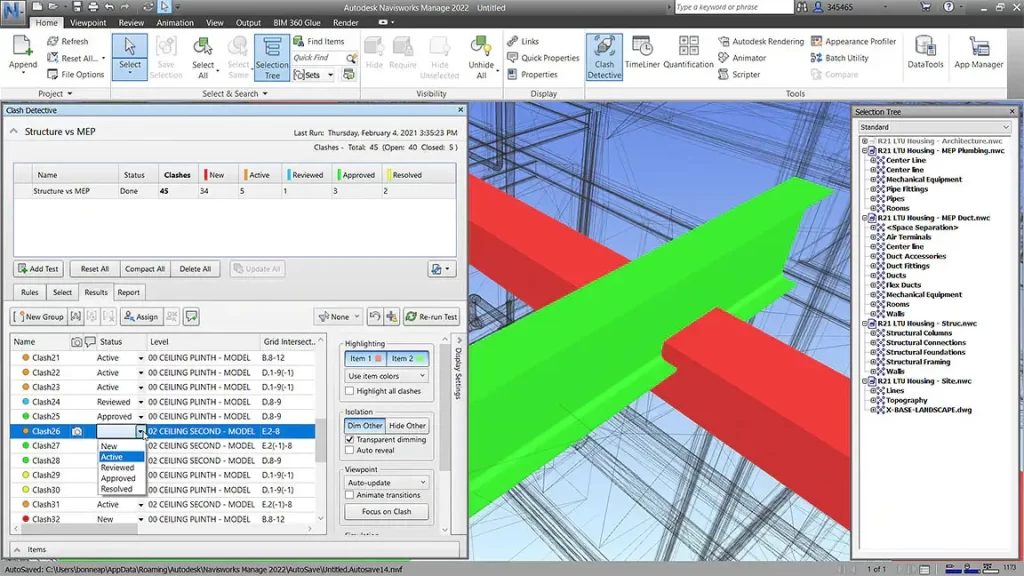
  • Identify and resolve clash and interference problems before construction.
  • Aggregate data from multiple trades to better control outcomes.

Control schedules and costs using 4D and 5D simulation

  • Animate and interact with model objects for simulation.
  • Create schedules directly from project models.
  • Import schedules and cost items from external project management applications.

Easily capture material quantities from 2D or 3D designs

  • Measure lines, areas, and counts from 2D sheets or 3D models.
  • Create synchronized project views that combine Revit and AutoCAD files, including geometry, images, and data.
  • Export takeoff data to Excel for analysis.

System Requirements For Autodesk Navisworks

Single Installation Requirements

  • Microsoft® Windows® 10 (64-bit) on the Semi Annual Channel servicing option.
  • Intel® Pentium® 4 or AMD Athlon™ 3.0 GHz (or higher) with SSE2 technology
  • 2 GB RAM (minimum)
  • 15 GB free disk space for installation
  • Direct3D 9® and OpenGL® capable graphics card with Shader Model 2 (minimum)
  • 1,280 x 800 VGA display with true color (1,920 x 1,080 monitor and 32-bit video display adapter recommended)
  • Microsoft Mouse-compliant pointing device
  • Microsoft® Internet Explorer® 8.0 or later

Deployment Requirements

Hardware and software requirements for the location of the administrative image

  • 10 GB hard disk


Hardware and software requirements for client machine

  • Microsoft® Windows® 10 (64-bit) on the Semi Annual Channel servicing option.
  • Intel® Pentium® 4 or AMD Athlon™ 3.0 GHz (or higher) with SSE2 technology
  • 2 GB RAM (minimum)
  • 15 GB free disk space for installation
  • Direct3D 9® and OpenGL® capable graphics card with Shader Model 2 (minimum)
  • 1,280 x 800 VGA display with true color (1,920 x 1,080 monitor and 32-bit video display adapter recommended)
  • Microsoft Mouse-compliant pointing device
  • Microsoft® Internet Explorer® 8.0 or later


Hardware and software requirements for the network license server (Windows)

  • Microsoft® Windows® 10 (64-bit) on the Semi Annual Channel servicing option.
  • Intel® Pentium® 3 or higher, 450 Mhz (minimum)
  • Network interface card compatible with existing Ethernet network infrastructure. Note that the Network License Manager supports Ethernet network configurations only.
  • TCP/IP communication protocolNote: The Network License Manager uses TCP packet types.
  • FLEXnet 11.12.0.0